
Open firmware for the Xiegu X6100
Every digital mode decoded and sent on the radio itself, the DX cluster on the waterfall, SOTA and POTA with big outdoor tiles, themes, Bluetooth, a web configurator and a TCI server for the VFO-Knob. Forked from the last open release of the IU1WXY firmware when it went closed, cleaned of every service that phoned home, audited, and updated from the radio itself with automatic rollback.
The card image comes from GitHub Releases; the first one is being built.
Why OpenX6X00 exists
The X6100's best firmware was always the open one. When it stopped being open, we kept going.
An open firmware, for years
The X6100 got a second life from the community: Oleg Belousov R1CBU and Georgy Dyuldin R2RFE wrote the R1CBU GUI, and Giovanni Ricciardi IU1WXY built on it: digital modes, Field Ops, the cluster, themes, Bluetooth. All of it under the LGPL, for anyone to read, build and improve.
Then the door closed
On 17 October 2026 IU1WXY published v0.127, the last release with its source. From v0.128 the author chose to close the firmware: binaries only, tied to a phone app and an update server of the author's own. That is the author's right. But the work that got the firmware there was open, and it deserves to stay that way.
So the open line continues
OpenX6X00 forks v0.127 and carries on where the open code stopped, under the same licence, with every author's copyright notice kept. No accounts, no app, no server to depend on: a firmware you can read, build yourself, and update straight from the radio. Maintained by RF.Guru, the makers of the VFO-Knob.
What we did with it
A fork is only a start. Here is the work between v0.127 and the image you download.
Cleaned up the fork
Everything that talked to a closed service or a phone is out, so nothing on the radio talks to a server of its own.
- The X6100 Link phone app and its remote API: the /link/v2 routes, the web Remote page, the GUI's remote socket, the phone voice PTT
- The wfview server
- The x6100-link.it update channel: signed packages, update alert, remote updates
- The diagnostics upload, the site ping and every other telemetry
- The private tests and tools, and the old branding
Reworked it
Then we made it ours: a look, menus and a network protocol that fit the rest of the RF.Guru family.
- The RF.Guru theme: near-black, gold for what is on, electric blue as the second accent; nine more themes with it
- Icon menus: the APP grid, the Modes grid and the Settings icon rail; the text menus stay as an option
- A TCI v2.0 server, so the VFO-Knob and any TCI client tune, hear and key the radio over the network
- Independent VFOs, mode from the band plan, Birdie Cal, a measured S-meter front end, Ethernet and WiFi fixes
- Own boot logo and animation, with "CQ CQ" in Morse when the boot sound is on
Updates from the radio itself
Write the card once. Every later version arrives over the network, and if it does not come up, the radio goes back by itself.
- Settings › Info › Update, or System › Update on the web page: Check, Install, progress
- Each release carries a signed bundle (ECDSA P-256, SHA-256 per file) next to the card image
- The previous version is kept; a new GUI that crashes three times in its first minute is rolled back
- An install cut short by a power cut is undone at the next start; a manual go-back button on the web page
Fixed the race conditions
A security audit over our code and the upstream v0.129 GPL bundle: four reviewers plus a Codex pass. Every high and medium finding is fixed, one commit each.
- Hand-mic keys and the ATU result handled off the LVGL thread; events delivered to a closed window
- A factory-reset timer that survived a closed panel; a TCI frame-length wrap and a droppable unkey
- A DATA partition script that could format an existing partition; a boot restore that unpacked an archive over /
- WSPR stack overflow on a six-character call; JS8 messages lost in a full store; a WAV that could exhaust memory
- Saves that reported success after a failed fsync; cross-site writes to the web configurator
Get the image
One card image per release. After the first one, the radio updates itself.
OpenX6X00
The first release is being built
The button takes the newest -sdcard.img.zip from GitHub Releases, whatever version that is today. Write it to a microSD card of 8 GB or more, put the card in, switch on. Settings and logs live on the card's DATA partition, created in the free space at the first start.
- Every release, with its notes and files: github.com/Guru-RF/OpenX6X00/releases
- 1
Download the image
The button above fetches the newest OpenX6X00-v…-sdcard.img.zip from GitHub Releases. Unzip it.
- 2
Write it to a microSD card
With balenaEtcher, Rufus or dd. Keep the original card with the Xiegu firmware aside; it is your way back.
- 3
Put the card in and switch on
The DATA partition for settings and logs is created in the card's free space at the first start. A card that already carried an earlier OpenX6X00 image keeps its DATA, settings and logs included.
- 4
Then never write a card again
Settings › Info › Update checks GitHub for a newer release and installs it on the radio, with the previous version kept for an automatic rollback. A new image is only needed when the kernel or a driver changes.
Built to be trusted with a transmitter
Signed, fail-safe updates
Each release carries a bundle of the files the GUI and the web server install, a manifest with a SHA-256 per file, and an ECDSA P-256 signature whose public key is in the image. The radio verifies it, stages the files, swaps them in with a journal while keeping the previous set, and restarts its software: about 17 seconds. The new GUI confirms itself after a minute of running; three crashes before that, and the start loop puts the previous files back on its own. A power cut mid-install is undone at the next start. Nothing installs unasked.
Audited, then fixed
Four reviewers went over our code and a Codex audit over the upstream v0.129 GPL bundle. Every high and medium finding has its own commit, so each fix can be read on its own: the ones inherited from upstream, such as hand-mic keys and the ATU result handled off the LVGL thread, and the ones in what we added, such as a TCI frame-length wrap and an unkey that could be dropped. The TCI server refuses browser connections from other sites, bounds its frames, and resends an unkey until it ran.
Read the commitsWhat it does
A complete station on the radio: no PC, no sound-card cable, no phone.
Every digital mode, on the radio
FT8, FT4 and FT2 with auto sequence, Hound and a POTA tag; JS8 with all four speeds at once, inbox, relays and APRS; WSPR decode and beacon; PSK31, PSK63, Olivia, JTTY, RTTY; SSTV in and out; WeFax and NavTex. No PC, no sound-card cable.
CW
A decoder that copies down to about 0 dB SNR, a CW keyboard with a send queue and Live mode, messages with {CALL} and {HIS}, USB and Bluetooth paddles, and a CW trainer.
The DX cluster on the waterfall
Spots on the waterfall, in a column beside it and in a full app that follows the VFO. Filters by mode, band and activity, alerts on calls and prefixes, spot snap when turning slowly, ten public servers built in. On WiFi or Ethernet.
Field Ops: SOTA, POTA, WWBOTA, HOTA, WWFF
A second interface with big tiles for gloves: the summit or park found from the GPS, the references of the whole world offline, CQ, a log straight to ADIF, self-spots, park-to-park and summit-to-summit, QRZ Logbook upload for up to three callsigns.
Bands
A live picture of 160 to 6 m from the cluster and the Reverse Beacon Network, and a test beacon that shows who hears you from your own antenna.
The radio
IARU band plan strip, independent VFOs, Birdie Cal, S-meter in bars or a needle, long-press actions on every key, editable bands, memories and channels, transverters, RX recorder, SWR scan, a Walkie Talkie portrait mode, voice messages.
Themes
Every colour, corner, font and waterfall palette comes from the theme: RF.Guru, Classic, Outdoor, Outdoor-Negative, VISION, Black Metal, Total Black, RS, Holo and Material 3 come with the image. Your own go on the SD card.
Bluetooth and wireless
WiFi, a USB Ethernet adapter with DHCP or a fixed address, USB tethering. Bluetooth CAT for three clients, headphones and keyboards, with pairings that survive a new image.
A web configurator
Open the radio's address in a browser: bands, digital frequencies, memories, cluster, Field Ops, CW messages, macros, logs, files, a gallery, backup and restore, display, time, Ethernet, TCI, updates.
A TCI server
The VFO-Knob and any TCI client on the network: tune, mode, filter, AGC, RIT, drive, PTT, the meters, and the audio both ways. On by default; a switch in Settings.
Transmit, looked after
A transmission stops three seconds after its audio stalls, the TX strip counts the seconds, a PTT unkey over TCI is resent until it ran, power steps start at 0.1 W.
Smooth on the screen
DRM/KMS output with the GUI on a transparent layer over a waterfall drawn one line at a time, about half the CPU of the old path; a main knob with every detent timed in its own thread.
Every app and setting is in the manual, the menus in MENUS.md, your own look in THEMES.md.
On the radio
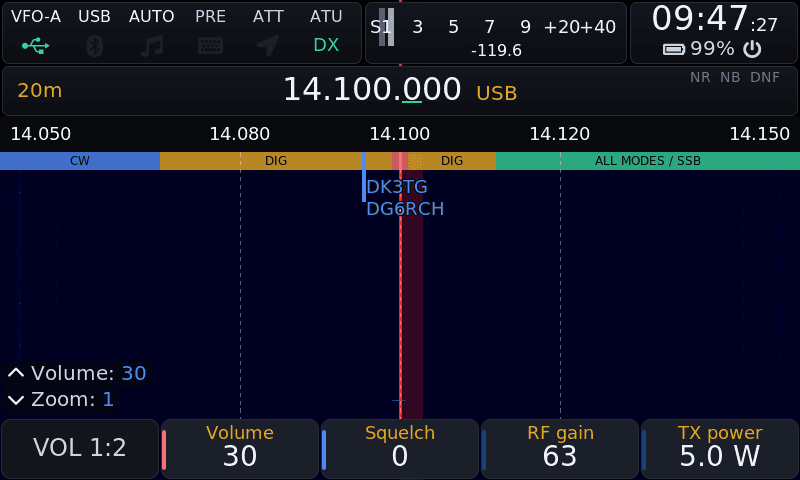
Screens pulled from an X6100 over SSH, not mock-ups.
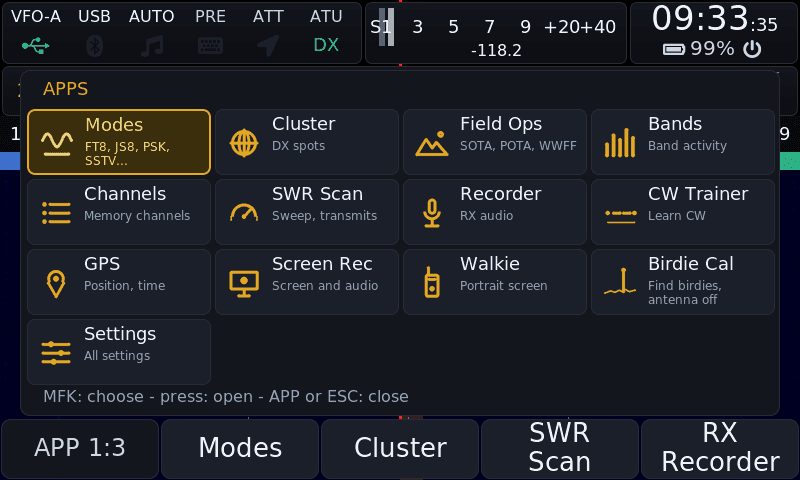
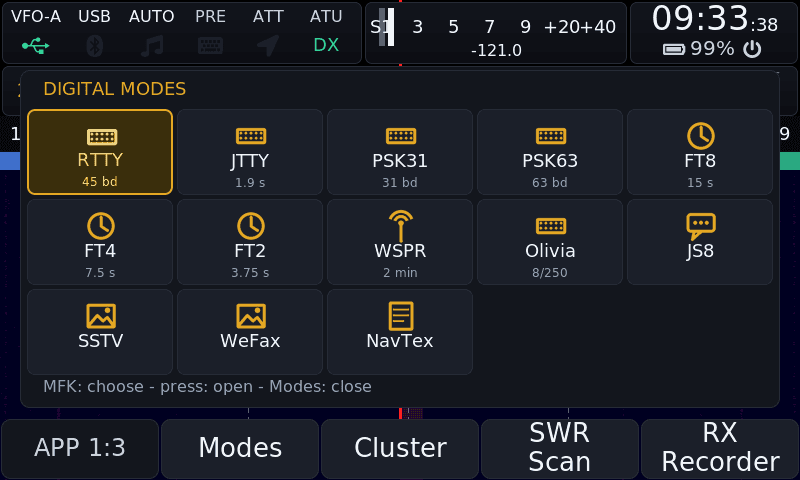
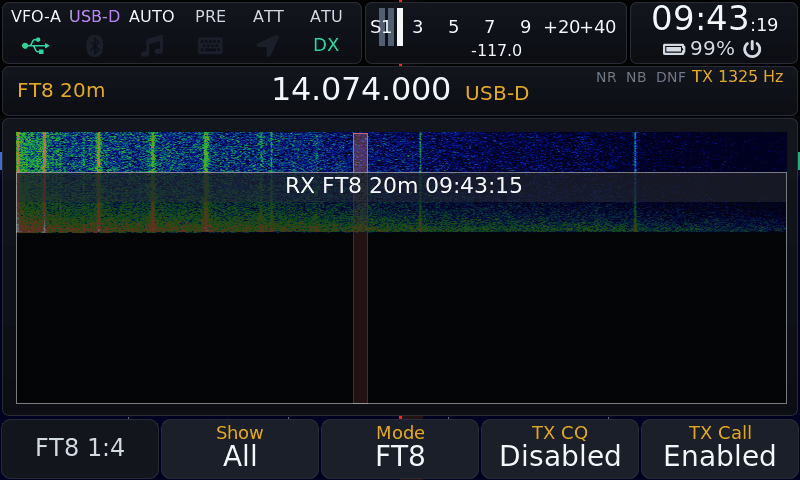
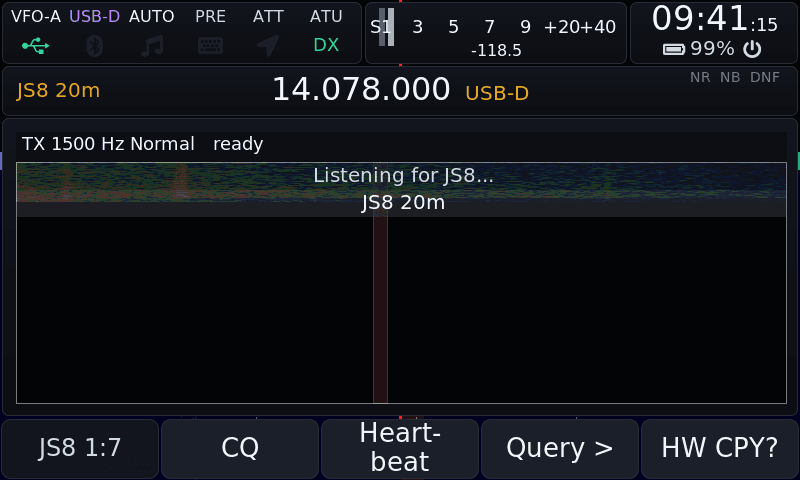
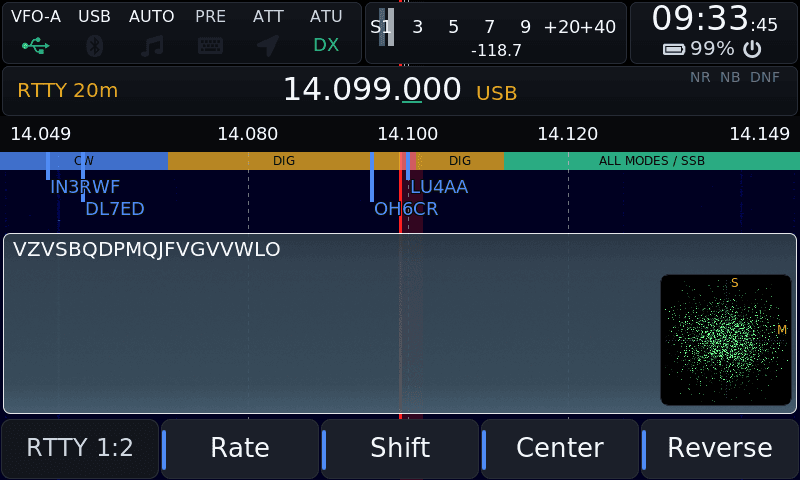
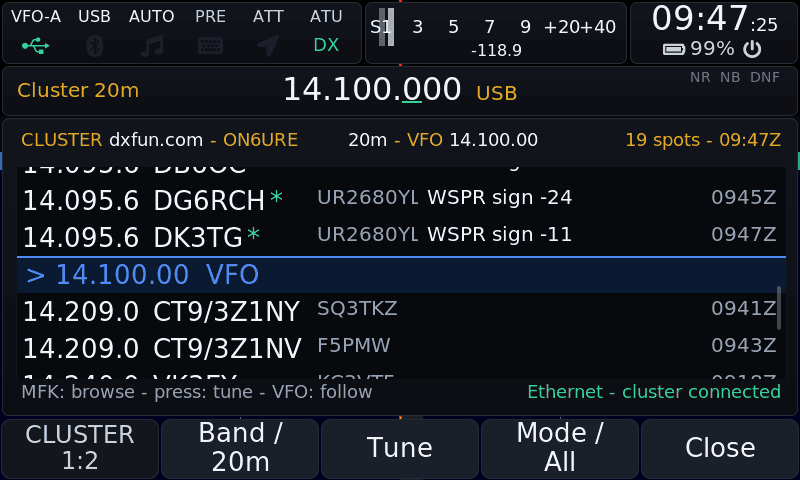
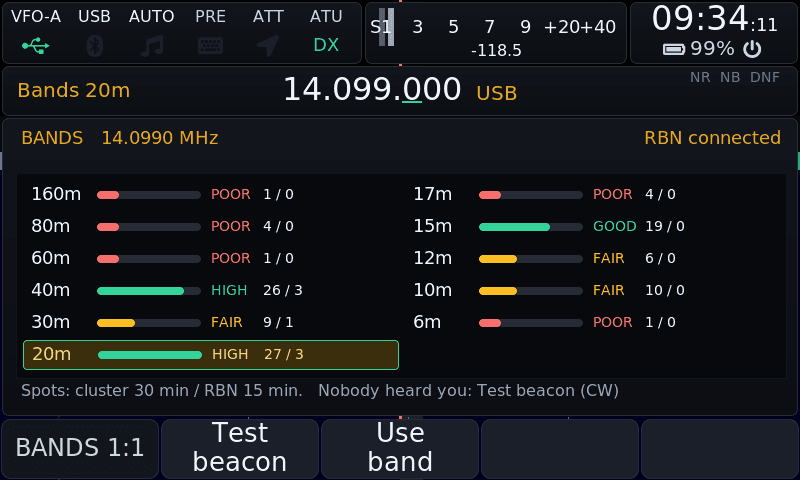
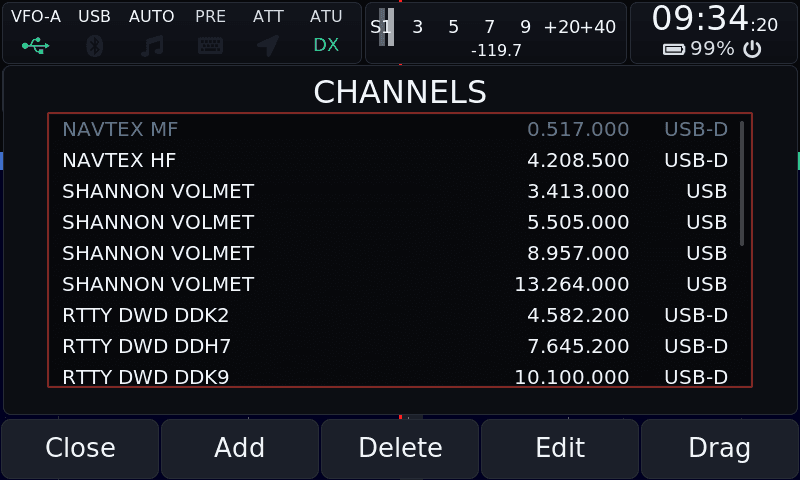
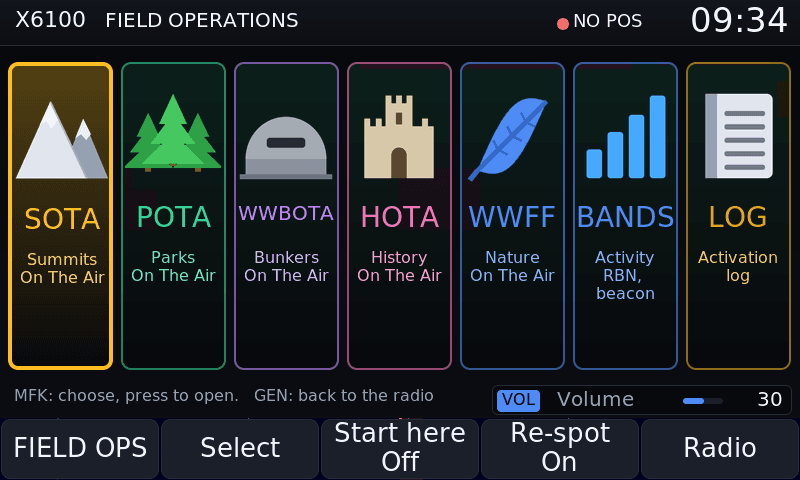
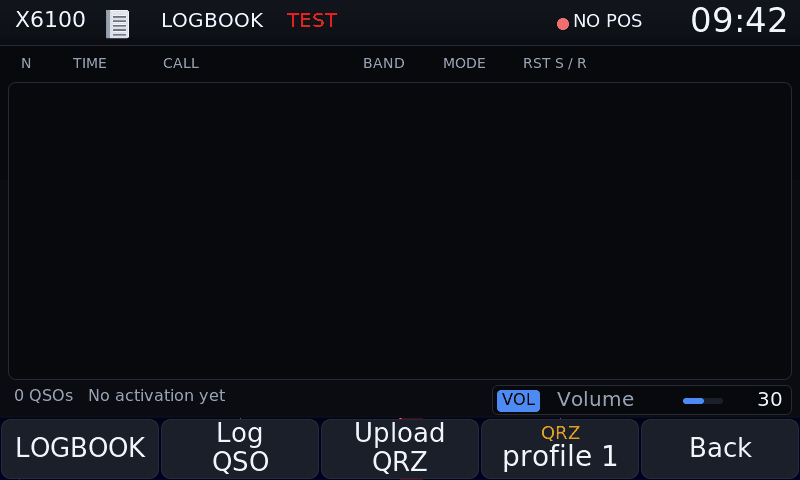
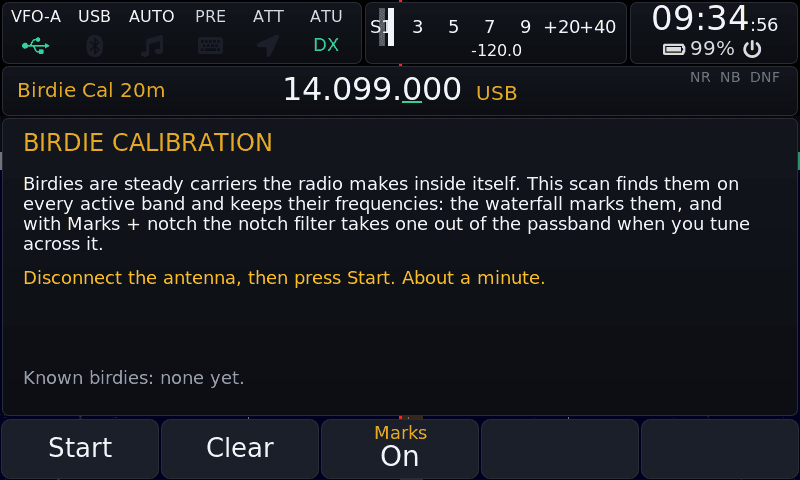
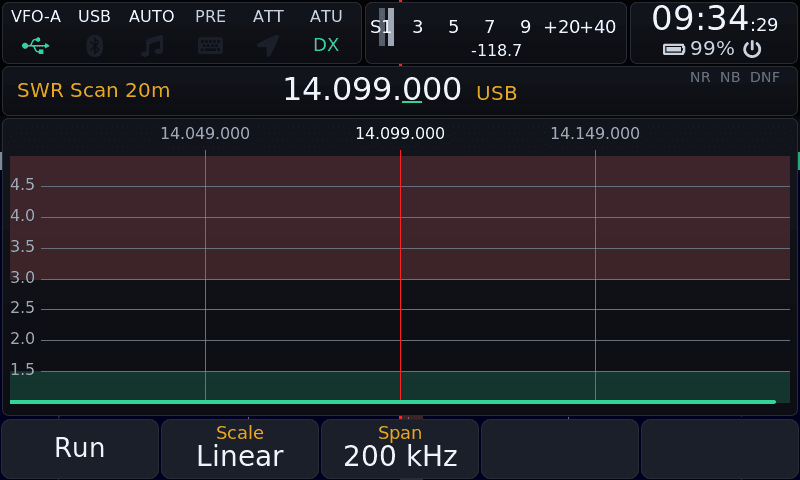
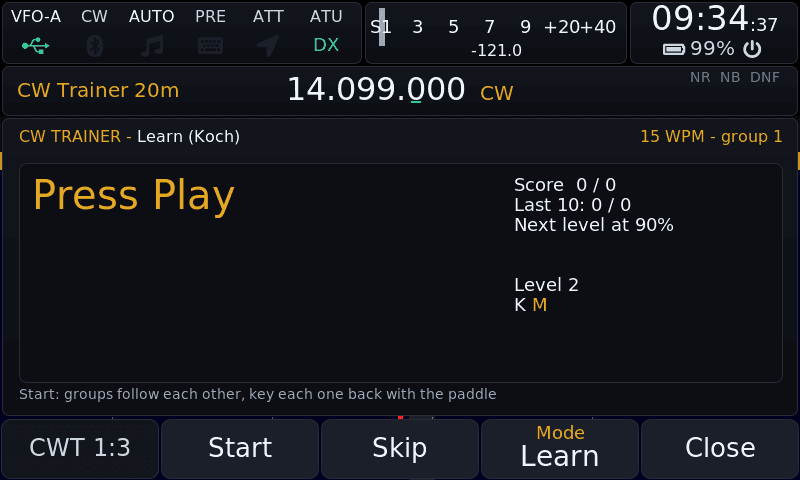
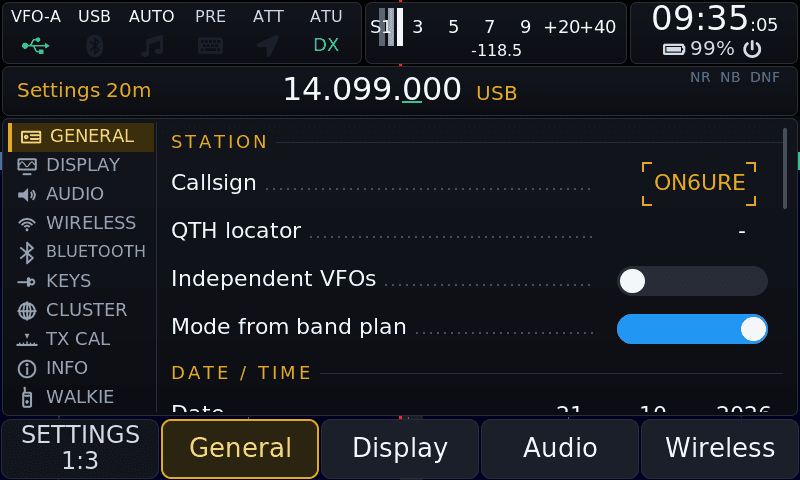
More, including every Settings tab, the Recorder and GPS, in docs/screenshots.
A real knob for the X6100
The radio speaks TCI, the protocol of Expert Electronics that AetherSDR and the VFO-Knob speak too. Put the knob on the same WiFi or Ethernet and it tunes, keys and hears the X6100 as it does any other radio: frequency, mode, filter, AGC, RIT, drive, the S-meter and the TX meters, receive audio to the knob, and the knob's microphone back as the radio's TX audio.
- On by default, a switch in Settings › General › TCI SERVER and on the web page
- RX audio as int16 mono at 24 kHz; TX audio frames the other way
- Browser connections from other sites refused, frames bounded, an unkey resent until it ran
- No login: switch it off on a network you don't trust
Questions, answered
What does it cost?
Does the radio talk to anyone?
Will I lose my settings and logs?
How do updates work after the first card?
Can I go back to the Xiegu or IU1WXY firmware?
Is the baseband patch needed?
Does it run on the X6200?
Which TCI clients work with it?
Can I build it myself?
Where do I report a bug?
Standing on shoulders
OpenX6X00 is the work of many hands. Every file keeps the copyright notice of its authors.
- Oleg Belousov R1CBU, Georgy Dyuldin R2RFEthe R1CBU GUI this firmware stands on: CW receiver, DRM/KMS output, direct spectrum rendering, the main knob
- Giovanni Ricciardi IU1WXYthe rewrite of the GUI, the theme system, Field Ops, Bands, the DX cluster, WSPR, SSTV TX, RTTY, WeFax TX, the CW keyboard, Bluetooth, the layer system
- Hany El Imam 1KO125the WeFax, NavTex and SSTV decoders
- Jordan Sherer KN4CRD and the JS8Call contributorsthe JS8 engine
- K1JT, K9AN and the WSJT-X teamwsprd and JTTY
- SP2KMO, 2E0JFSthe Bluetooth tab; the Black Metal and Total Black themes
- RF.Guru (Joeri Van Dooren ON6URE)the fork, the clean-up, the TCI server, the updater, the audit fixes, and the maintenance
Libraries: LVGL, cJSON, FFTW, liquid-dsp, ft8_lib, libpng, bottle, PulseAudio, BlueZ. Built by AetherX6100Buildroot. Licence: LGPL-2.1-or-later, the image as a whole GPLv3.
Found something? Want something?
Bugs, ideas and pull requests go to GitHub. It is open for a reason.